
The student is at the workplace.
The school still has the full picture.
Vklass praktik connects school, student and workplace during work-based learning. Placement periods, work schedules, attendance and documentation are kept in one shared service, which replaces phone calls, paper lists and loose notes.
A fully rebuilt Vklass praktik arrives in January 2027
In January 2027 we launch a fully rebuilt version of Vklass praktik with more powerful tools for administration. We are building a new flow for students → work-based learning periods → workplaces → matching → agreements → supervisors → follow-up → assessment. Digital signing of agreements is added. Goals and tasks are linked to the course goals. Smart student placement uses the organization's own tags.
People should not administer work-based learning; the system should administer it, and people should handle the relationships.
Holiday placements also get a dedicated workflow: application submitted → eligible → matching in progress → offer → accepted → agreement signed → placement → time reporting → payment. Connections to the Swedish Tax Agency and the municipality's finance system will also be possible.
The whole life cycle of a placement period
Three roles around the same period: the teacher creates and follows up, the student checks in and documents, and the supervisor confirms from the workplace.
Placement periods
The period connects student, company, supervisor and teacher for a set time. The teacher adds goals and tasks. Task templates can be saved and sent to colleagues.
Work schedules
The student or the teacher adds work sessions describing which days and hours the student is at the workplace. The sessions drive attendance and appear in the calendar for all three roles.
Check-in and attendance
The student checks in on arriving at the workplace, and a check-in more than 15 minutes after the session starts counts as a late arrival. The supervisor gets a notification and confirms, and the teacher sees everything at once in the attendance overview.
Documentation with self-assessment
The student documents with photos and text, links the post to the teacher's tasks and answers "How did it go?". The ratings are aggregated per task and become ready-made material for the three-way review.
Supervisor accounts
The supervisor signs in with their email address and sees only Vklass praktik and only their own students. The school's administrator creates the account, and the supervisor does not become a user in the school's other systems.
Company register
The administrator manages companies, workplaces and supervisors in one place, with workplace risk assessments, placement capacity per company and completed supervisor training with an uploaded certificate.
The supervisor takes part from the workplace with their own account
The student's contact person at the workplace gets their own account, linked to the company and only to the students they supervise. When the student checks in, the supervisor gets a notification and confirms the attendance or adjusts the times if something has gone wrong. In the feed, the supervisor follows and comments on the student's documentation, and the placement period page holds goals, tasks and contact details for teacher and student.
- Confirm the student's check-in and correct attendance afterwards
- Follow and comment on documentation posts, or create posts for the student
- See goals, tasks and contact details on the period page
- Absence reports from the student are visible immediately
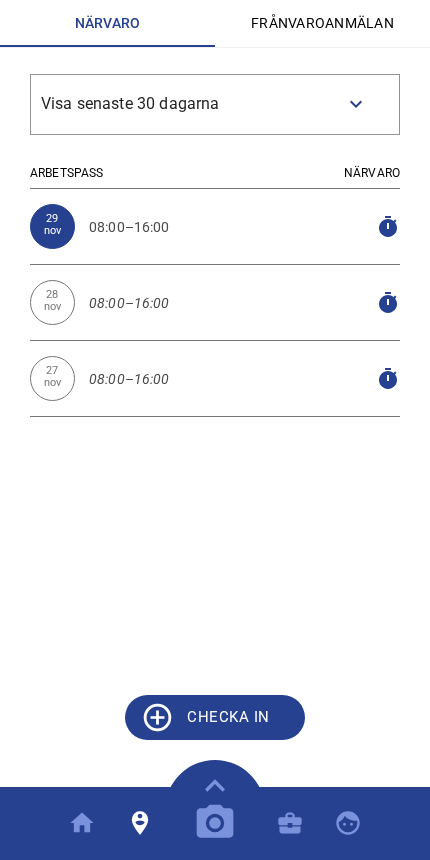
The student checks in, documents and rates their work
The student's placement day comes down to three simple steps. They check in on the phone when the working day starts, document with photos and text when something has happened and rate their own work against the teacher's tasks. Absence is reported in advance right in the service, and reported time then counts as valid absence instead of invalid. Teachers and students sign in with the same credentials as in Vklass.
- Check-in against today's work session, with a notification to the supervisor
- Absence reporting for a whole day, part of a day or several days
- Documentation linked to tasks, with the "How did it go?" self-assessment
- The student's own schedule and placement period always available in the calendar
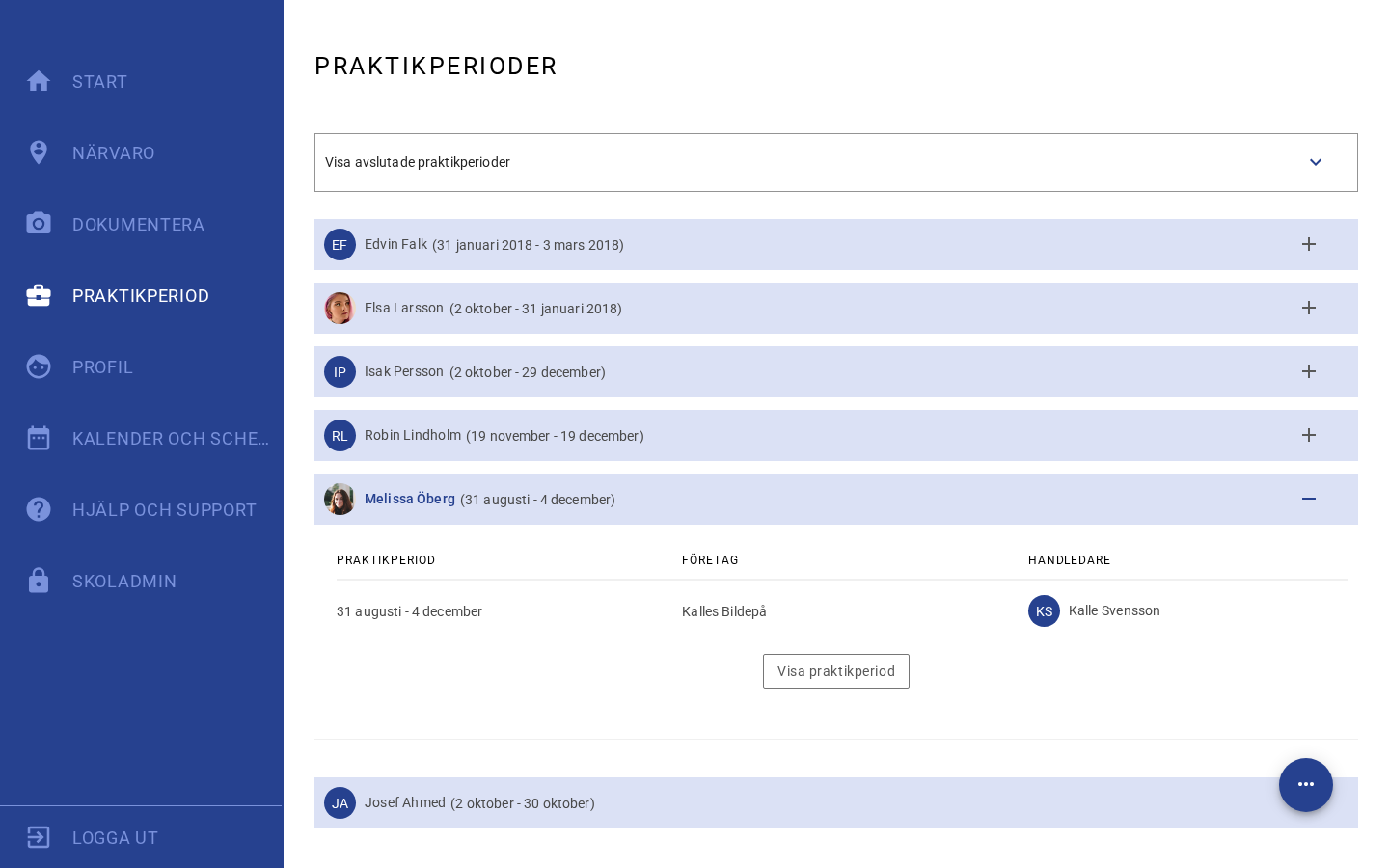
The teacher sees the whole picture while the student is out
The teacher follows up with attendance lists, a documentation feed and a summary per task: how many posts the student has made and how they rated their work. The school sees which students are out, where and when. In Vklass analys, the Workplace-based learning report shows hours, sessions and signing rates at school authority level.
- Attendance session by session, filterable by school and student
- A documentation feed with filters for period, students and tasks
- Post counts and average self-assessment per task
- Task templates reused across periods and colleagues
Secure work placements for school, student and workplace
The security lies in attendance and documentation held in one place with role-based access: school, student and supervisor each see their own part of the same record. Book a demo and we will show the whole flow, from placement period and work schedule to check-in, documentation and the three-way review.