
The school day in your pocket.
No paper notes to chase.
Vklass gathers the whole school day in one place, on the web and in the app. There you see what is happening at school this week, what is due and when the appraisal meeting is. You don't have to dig through emails, paper notes and group chats.
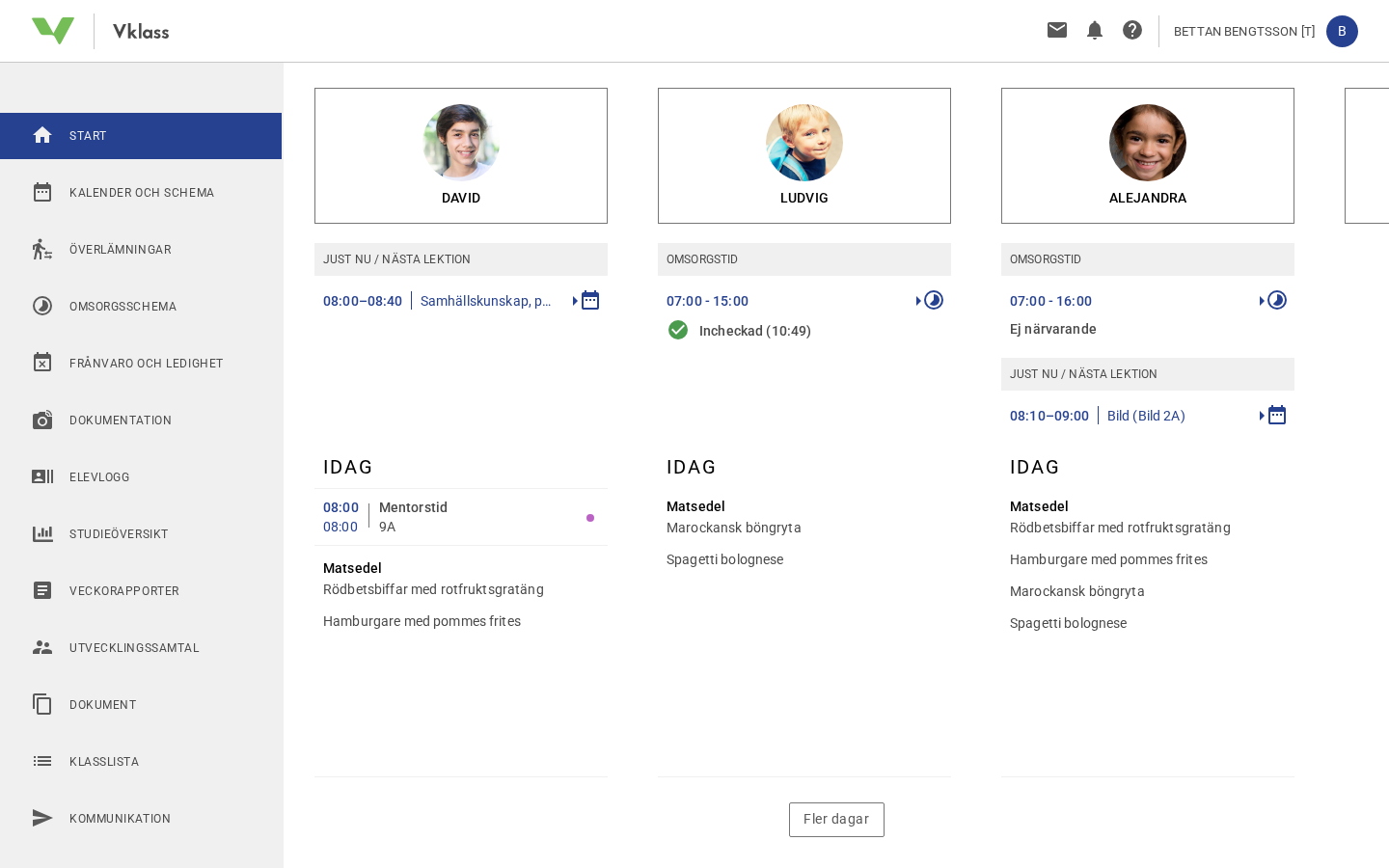
One clear picture of your child's school day
Right on the start page you see news, plans, assignments, exams and upcoming events for your child. The calendar shows lessons, exams and school events in a single view. The weekly report sums up the school week and arrives automatically by email. If your child attends preschool or after-school care, you follow the portfolio (the child's collected documentation) from home. You also set the care schedule for drop-off and pick-up digitally.
- News, assignments and exams gathered on the start page
- A weekly report on the school week straight to your email
- Portfolio and care schedule for preschool and after-school care
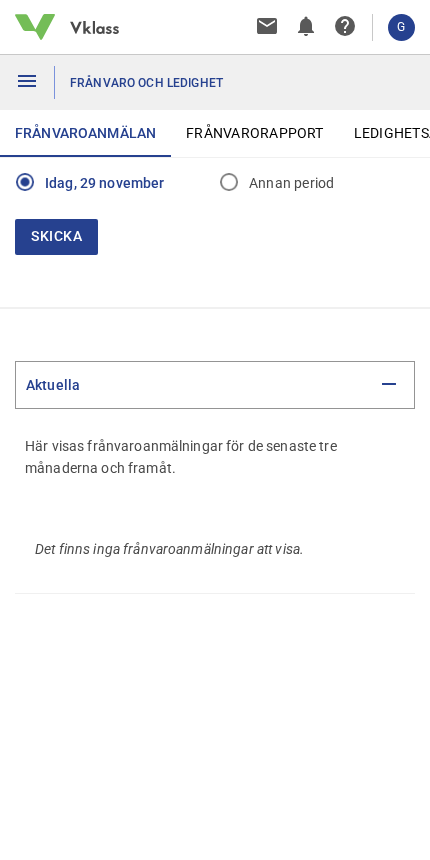
Absence reported in under a minute
If your child is sick on a Tuesday morning, you report the absence directly in the app or on the web, for a whole day or part of a day. The report reaches the school immediately and is visible to all of your child's teachers, so you don't have to call and wait in a phone queue. You apply for leave digitally in the same place. You get the decision by email and notification when the leave is granted or denied. Students of legal age report their own absence.
- Absence reporting in the app for a whole day or part of a day
- The report is instantly visible to all the child's teachers
- Digital leave applications with the decision as a notification
Notifications when something happens
With the Vklass app on your phone you get push notifications about what matters to you, and you choose what triggers them.
Messages
Direct messages to and from the school are gathered in threads. New messages give a push notification, and you reply right in the app.
Timetable & changes
The calendar shows lessons with time and room, exams and events. Timetable changes show up immediately, on mobile too.
Consents & bookings
Answer the school's digital consent requests, for photos and film for example, and book appraisal meetings when the school opens up slots.
Keep track of assignments and results
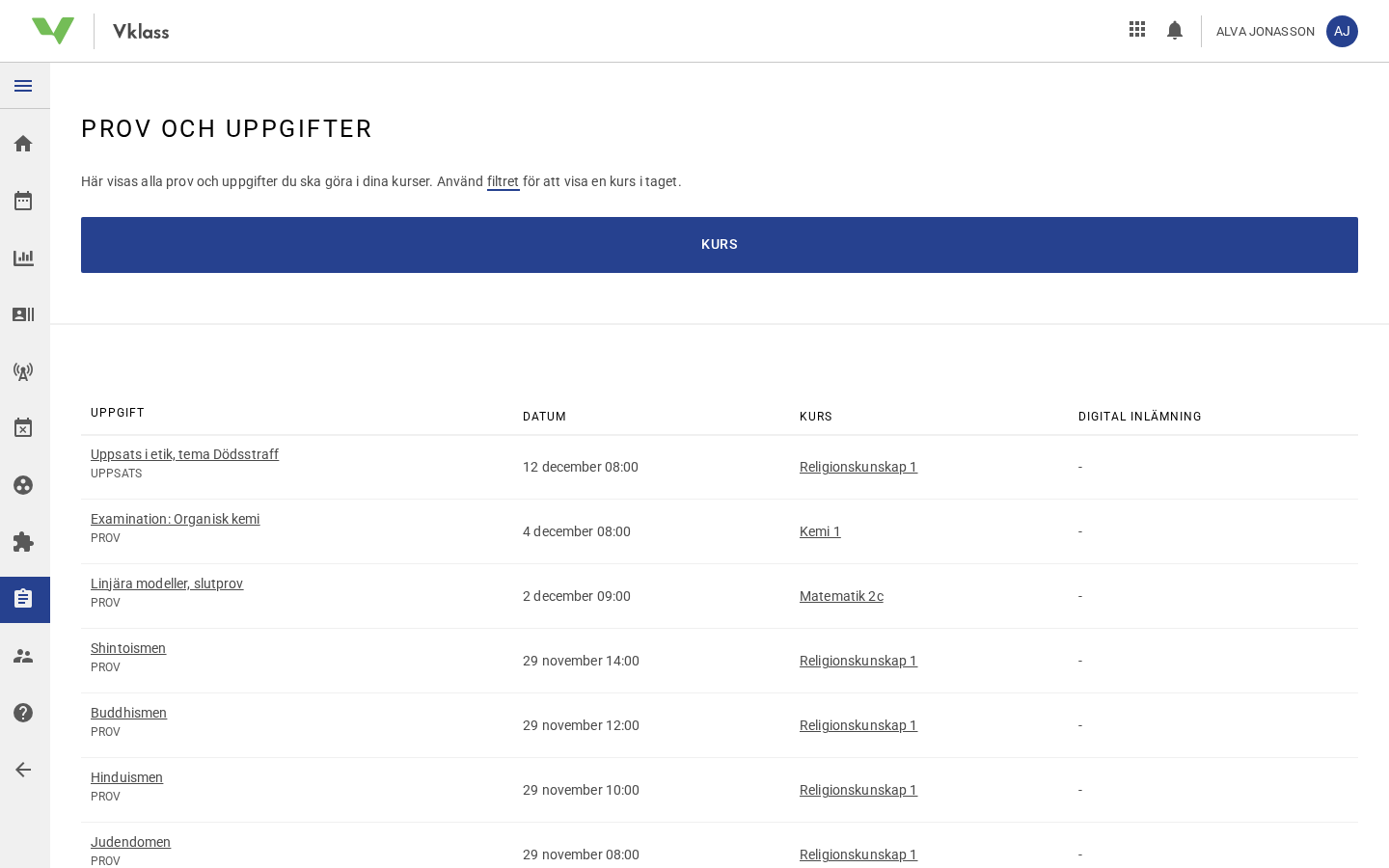
Under Assignments you see instructions and due dates, submit digitally and follow the status until your teacher has assessed your work. Under Results you find the assessments your teachers have published: on assignments, in matrices and as written judgments. The study overview shows the whole picture per subject. Your timetable is always with you, and changes show up straight on your phone.
- Submit assignments digitally and follow the status
- See results, matrices and judgments per subject
- Timetable with time and room, always up to date
Vklass is chosen by the school and used at home
If you work for a municipality or school authority, you can book a demo and see how Vklass works for guardians and students.